No audio on freepbx after network or DNS change#
Introduction#
If you have no audio on you freepbx server after changing the public ip, or dns you likely need to update your sip config.
Test Echo#
Open your sip application and test echo by dialing
*43
If this works, your freepbx installation is okay, and you can proceed with the next step.
Set NAT external address#
In Freepbx, click on "Settings" > "Asterisk SIP Settings" ,click on "Detect Network Settings" and then click on "Submit".
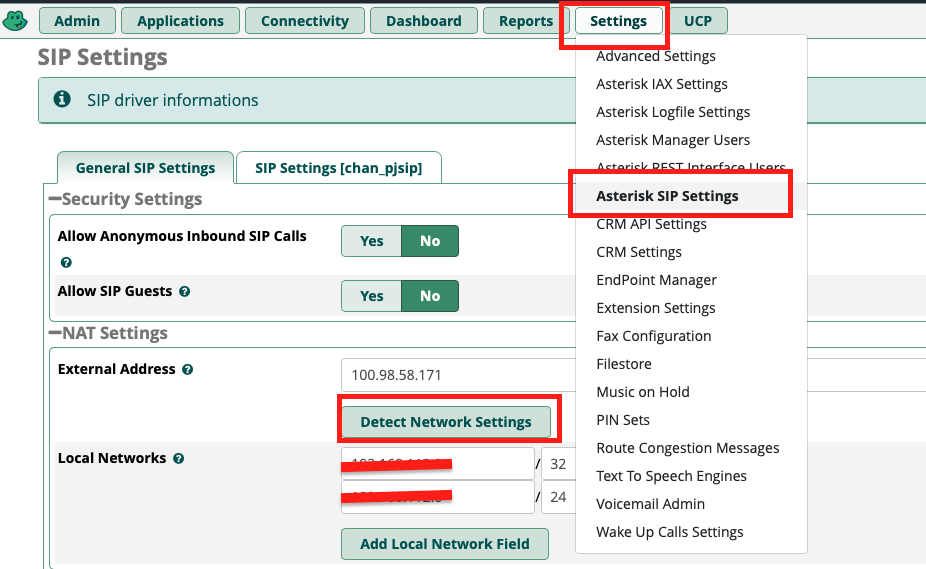
This will update your external WAN address.
Click on "Apply Config".

Now you should be able to use your sip cient, and you should be able to hear the person you are calling, and they should be able to hear you.