Add SSL certs to freepbx on Debian 12#
Introduction#
We will go hrough the steps of adding lets encrypt ssl certs to theweb gui of freepbx
Apache HTTPS Setup#
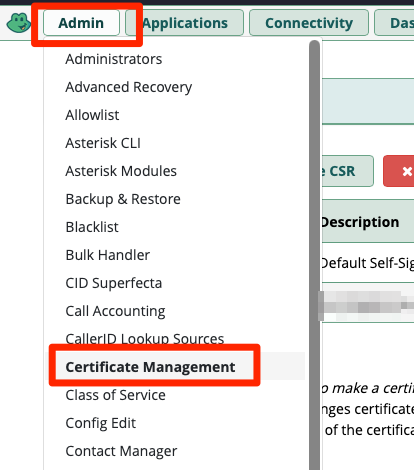
Click on "Admin" > "Certificate Management"
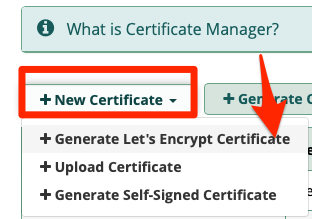
Click on "New Certificate" > "Generate Let's Encrypt Certificate"
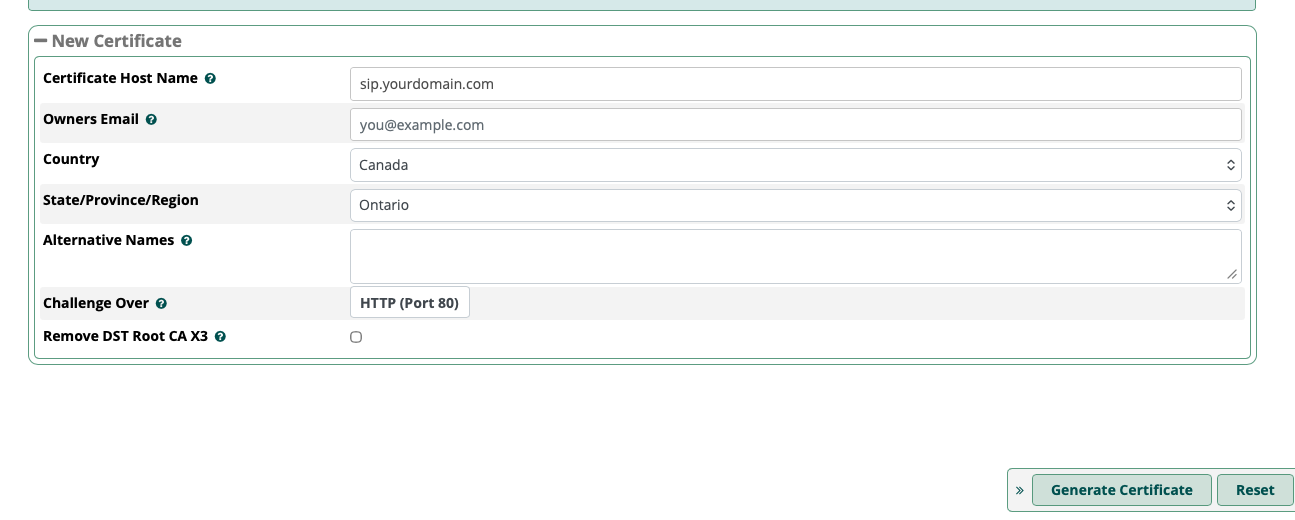
Fill in your details and then click on "Generate Certificate"
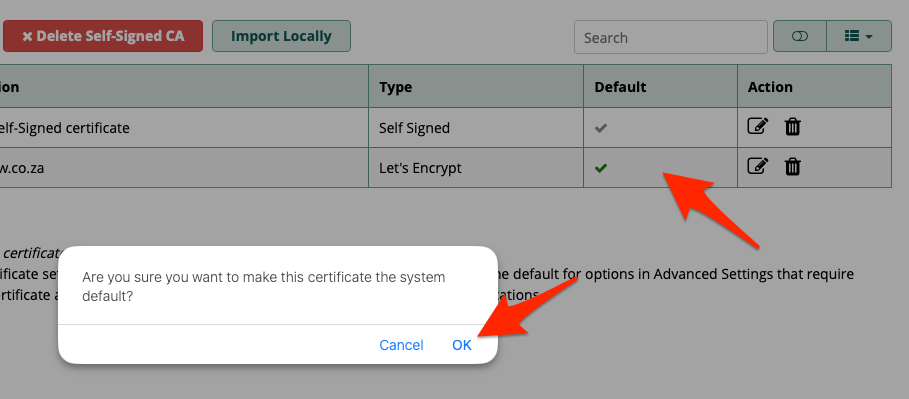
Hover over the block "Default" next to your new certificate and then click over the tick that appears.
You will get a notification, click on "OK"
Now ssh to your sip server to configure apache
ssh root@<YOURSIPSERVER>
Check to see that your letsencrypt certificates are on the filesystem
ls /etc/asterisk/keys/
Edit apache to add the certificate locations:
vi /etc/apache2/sites-available/default-ssl.conf
Edit these lines, replacing it with your domain
Note
Replace
        SSLCertificateFile      /etc/asterisk/keys/<YOUR_SIP_DOMAIN>.pem
        SSLCertificateKeyFile   /etc/asterisk/keys/<YOUR_SIP_DOMAIN>.key
Enable the Apache SSL module and the site configuration:
a2enmod ssl
a2ensite default-ssl.conf
systemctl restart apache2
Link Certificate to Asterisk (for SIP TLS)#
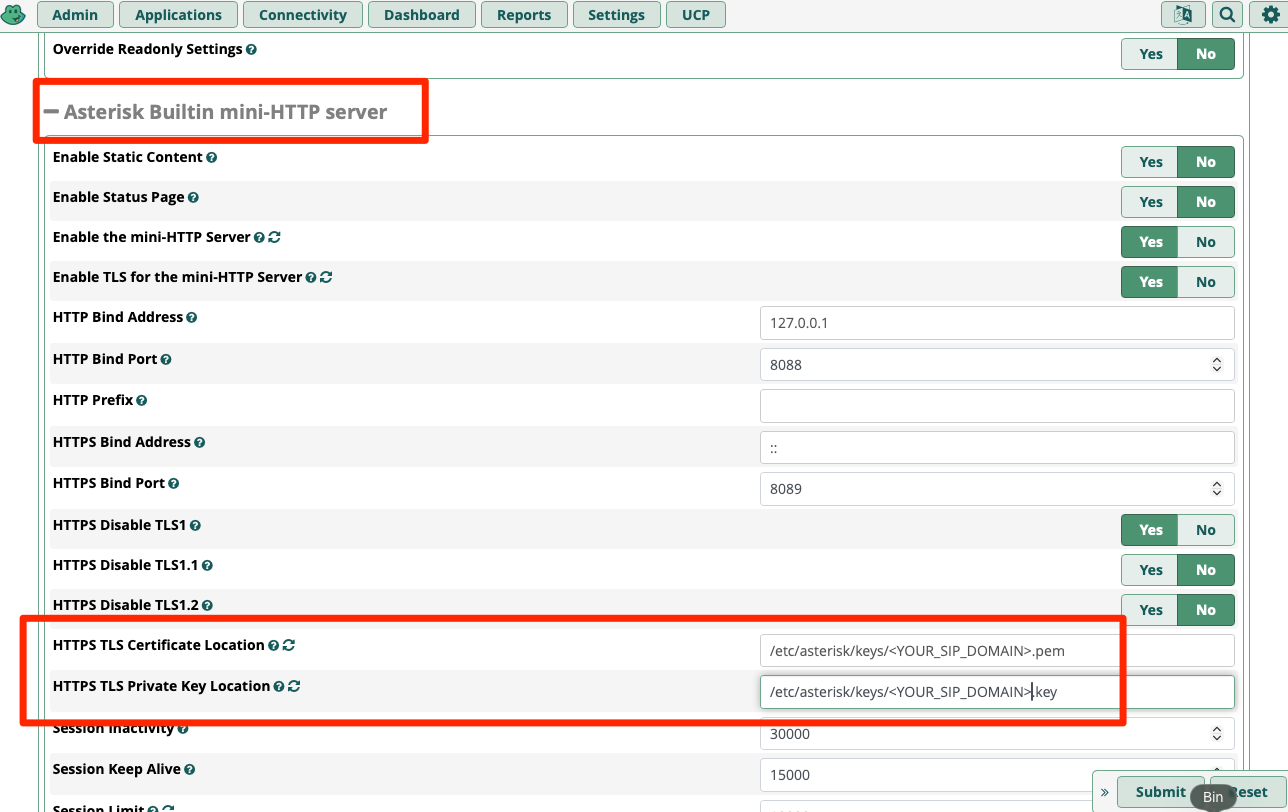
Go to Settings → Advanced Settings.

Search for Asterisk Builtin Mini-HTTP server is set to use your new certificate.
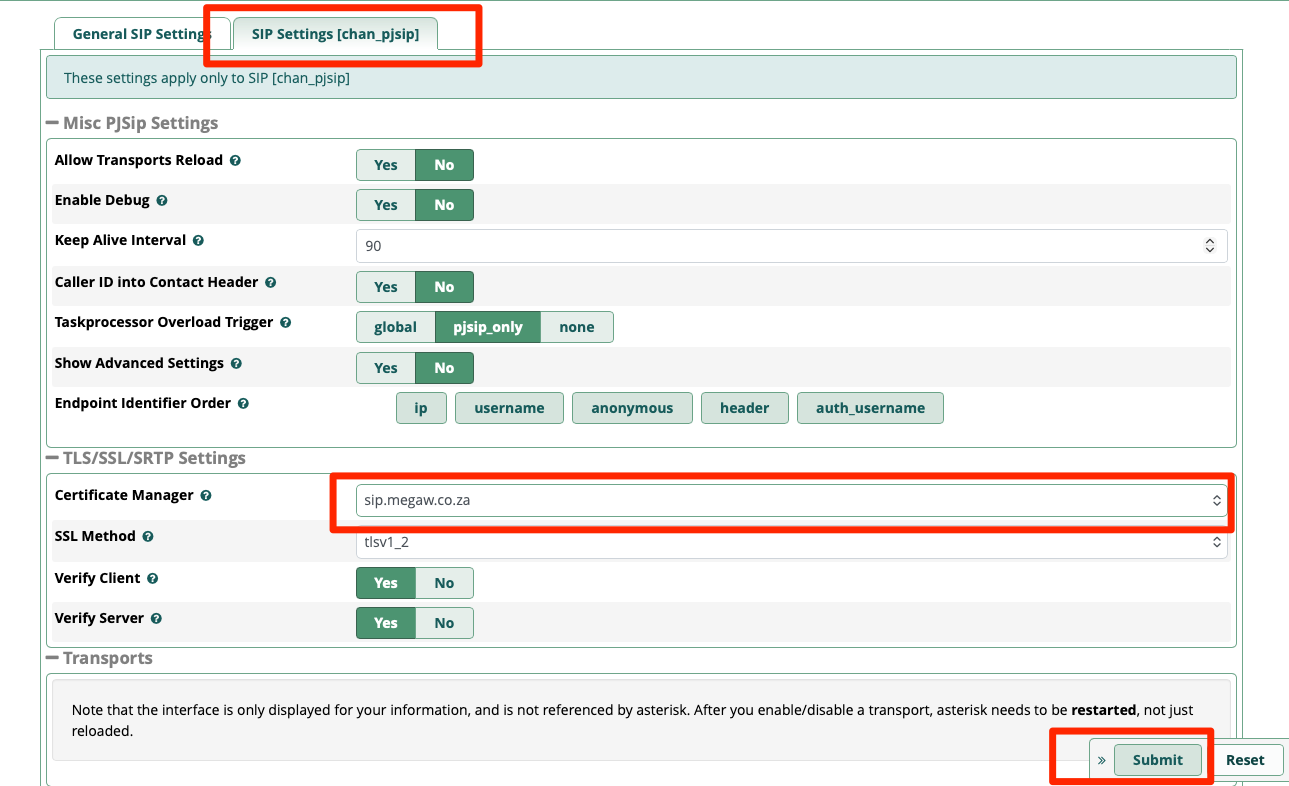
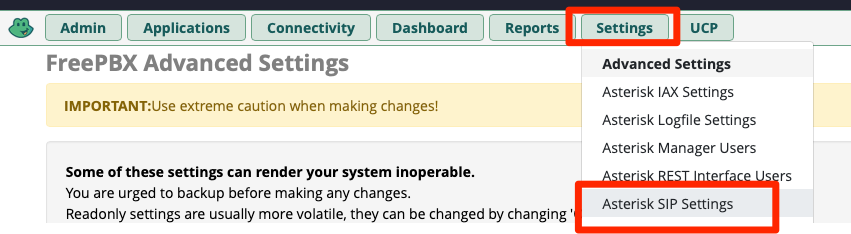
Go to Settings → Asterisk SIP Settings → SIP Settings [chan_pjsip].
Scroll down to TLS and select your certificate from the dropdown menu, Click Submit and Apply Config.